**Explore Passion 8 Press Today →
WordPress maintenance and support is not your real problem; process is. Treat WordPress like a product with SLAs, staged releases, tests, and drills, and it will meet enterprise needs in 2026. That’s the answer. Everything else flows from it.
However, you still need the right scope. At scale, you run a multisite network, integrate with SSO and data feeds, hold strict uptime targets, and face audits. Therefore, your plan must name owners, define change control, and back every update with tests and rollbacks. Moreover, you need logs, monitoring, and a clear incident playbook. In short, run WordPress as you would any core app, not a blog.
This guide shows you how to set that up fast: what “enterprise WordPress” really means, a 7‑step framework you can adopt this quarter, the five mistakes to avoid, and the tools and partners that make the work stick.

What Enterprise WordPress Maintenance Actually Requires (and Why It's Different)
Enterprise WordPress is not a bigger SMB site; it is a platform. You run multisite networks with 10–100+ sites, shared code, and per‑site overrides. You tie into SSO, CDPs, PIM/DAM, and event buses. As a result, each release touches more systems, more teams, and more risk.
Furthermore, you carry SLAs. Targets like 99.95–99.99% uptime, 15‑minute first response, a 60‑minute RTO, and a 5‑minute RPO are normal for a public marketing hub. Therefore, maintenance work has to be routine, measured, and practiced. It includes core and plugin updates, security hardening, and performance work, but also data privacy, change windows, and rollbacks.
Scope at Enterprise Scale
- Multisite and multilingual: shared code, site‑level configs, and strict tenancy rules.
- Custom integrations: SSO, CRM, PIM/DAM, search, analytics, and queue workers.
- Regulated change: CAB approvals, maintenance windows, and staged rollouts.
- Compliance: CMMI/ISO‑aligned processes, audit trails, and access reviews.
- Traffic spikes: launches and campaigns driving 10x load within minutes.
Moreover, the code base includes custom work. Stock themes and plugins rarely fit. You’ll rely on Theme & Plugin Solutions plus Custom WordPress Plugin Development to match your stack and policies. As a result, your maintenance plan must include code ownership, versioning, and long‑term support of that custom layer.
For context, if you need a lighter primer for SMB teams, compare this playbook with the SMB maintenance guide. The goals rhyme, but enterprise scope requires stronger controls and deeper tests to keep wordpress maintenance and support safe at scale.
“Passion 8 Press is my go-to for WordPress development. Their team has consistently provided top-notch service and support for my website.” — Emily S.
A 7-Step Framework for Enterprise WordPress Maintenance
You can run this as a standing program. Assign an owner, publish the calendar, and report weekly. Use dedicated WordPress developers and insist on transparent communication with daily updates so leaders see risk before it bites.
Step 1: Audit Current Infrastructure
Start with a short, sharp audit. Map hosting (regions, nodes), PHP and WordPress versions, database topology, cache layers, CDN, WAF, logging, and backups. Then list every plugin and theme, owners, and why each exists. Finally, flag high‑risk items: abandoned plugins, forked code, direct DB writes, and hardcoded secrets.
Step 2: Define SLAs and Uptime Targets
Write SLAs that fit your risk. For example, set 99.95–99.99% uptime, P1 first response in 15 minutes, and defined RTO/RPO. In addition, document support hours, escalation paths, and maintenance windows. Therefore, stakeholders agree on trade‑offs ahead of time, not mid‑incident.
Step 3: Establish Staging and Deployment Pipelines
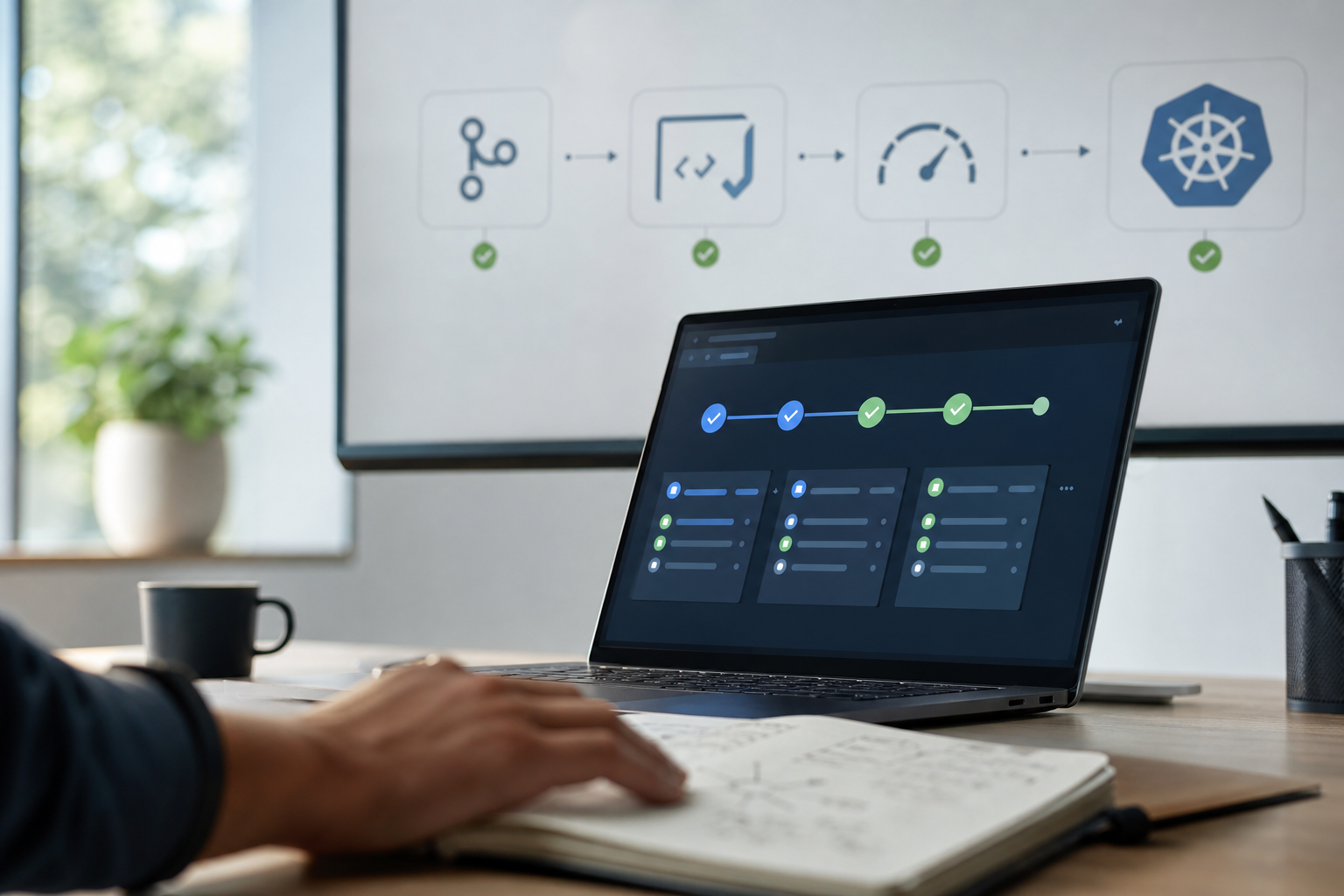
Build at least three tiers: dev, staging, and production. Moreover, use CI/CD to run linting, static analysis, unit tests, and end‑to‑end smoke tests on every change. Require reviews and approvals. As a result, you reduce human error and create a clean audit trail.
Step 4: Automate Core/Plugin Updates with Testing
Group updates weekly or biweekly. Then run them through staging first with automated regression checks. Track plugin owners and set exit plans for abandoned code. In addition, keep a changelog and version lock production. Therefore, you can ship fast but roll back in one step if a change breaks.
Step 5: Security Hardening and Access Control
Harden the stack: strict WAF rules, bot controls, TLS 1.3, PHP 8.2/8.3, least‑privilege access, enforced MFA, and key rotation. Moreover, scan code and dependencies, and run file integrity checks. Rotate salts, disable XML‑RPC if not used, and restrict wp‑admin by network. Log every admin action.
Step 6: Performance Monitoring and Budgets
Set performance budgets for TTFB, LCP, INP, and CLS. Tie them to alerts. For practical guidance on what “good” looks like, see Core Web Vitals guidance. Moreover, instrument backend APM, DB query times, and external calls. As a result, you can spot regressions before campaigns land.
Step 7: Create and Drill an Incident Response Plan
Write a plan with roles, a comms template, a status page flow, and rollback steps. Then drill it quarterly. In addition, log post‑mortems with clear, blameless actions. Therefore, your team builds muscle memory and cuts MTTR when it counts for wordpress maintenance and support.
**Explore Passion 8 Press Today →
Also Read!
Enterprise Company’s Guide to Custom WordPress Theme Development
5 Mistakes Enterprise Teams Make with WordPress Support
Treating WordPress like a simple CMS is the first mistake. At enterprise scale, it is an app platform. Without code owners and release gates, small edits can have system‑wide blast radius.
- Skipping staging environments: You ship blind without a safe test bed.
- Relying on generic shared hosting: You lose control of versions, tuning, and HA.
- Ignoring plugin audits: One abandoned plugin can block a security patch for months.
- No retainer for WP expertise: On‑call generalists miss edge cases and SSO gotchas.
- No change calendar: Marketing launches collide with cache clears and schema changes.
Moreover, teams underestimate cross‑system risk. For example, an SSO tweak can break editor logins across a multisite network if roles sync by code. In addition, cron jobs tied to product feeds can starve PHP workers and tank TTFB during ad bursts. Therefore, you need custom development emphasis over generic solutions, and an experienced in‑house team or partner on retainer.
For a lighter‑weight checklist that contrasts with this enterprise view, this SMB‑focused checklist is a good foil. However, at scale you must raise the bar on tests, access reviews, and incident drills to keep wordpress maintenance and support predictable.
“I was in a tight spot with my WordPress site until I found Passion 8 Press… Their responsiveness and technical skills saved the day.” — David R.
Tools and Partners for Enterprise WordPress Maintenance
You win by picking one tool per job and wiring them well. Moreover, write down owners so each tool has a human accountable for it.
- Managed WordPress hosts: WP Engine and Pantheon provide build tools, staging, and global CDNs with HA features that fit enterprise teams.
- Monitoring and APM: New Relic and Datadog give code‑level traces, external call timing, and alerting across app, DB, and cache tiers.
- Security stack: Sucuri and Wordfence add WAF rules, malware scans, and file integrity checks; pair with strict access control and MFA.
- Content and release tools: Visual regression tests, Lighthouse CI, and feature flags keep releases safe during 2026 campaign peaks.
In addition, you may need a dedicated dev partner to own the custom layer long‑term. One option is Passion 8 Press: Dedicated WordPress Developers who handle Custom WordPress Plugin Development, Theme & Plugin Solutions, and ongoing support and maintenance. The team offers transparent communication with daily updates, no hiring hassles, quick onboarding, and zero fees to get started, supported by NASSCOM and Gold Partner certifications and enterprise‑grade processes aligned to CMMI and ISO.
Picking Requirements That Stick
- Name uptime and response SLAs in contracts.
- Demand audit logs and SSO/MFA across tools.
- Ask for test evidence per release, not promises.

Key Takeaways
The path to safe, fast enterprise WordPress is not a mystery. However, it does demand discipline. Use the notes below to brief leaders and set expectations with your team.
- Treat WordPress as a product, not a page builder. Therefore, define SLAs, change control, and owners.
- Build pipelines: dev → staging → production with automated tests and rollback plans for every release.
- Keep a tight plugin ledger. Moreover, replace abandoned code and lock versions before campaigns.
- Harden and watch: WAF, MFA, TLS 1.3, PHP 8.2/8.3, APM, and Core Web Vitals budgets with alerts.
- Staff the expertise. In addition, retain dedicated WordPress talent and insist on daily updates and visible work logs.
As a result, your team will ship faster with fewer outages, shorter incident times, and cleaner audits. That is the real win for 2026 and beyond.
What to Do This Week to Strengthen Your WordPress Operations
You don’t need a quarter to see gains. Do these three actions in five business days and you’ll cut risk fast while improving wordpress maintenance and support.
- Run a full plugin/theme audit
- Export the full list of plugins and themes with versions, authors, last update dates, and usage.
- Flag abandoned or duplicate features.
- Decide: keep, replace, or retire.
- Assign an owner for each item and a target date.
- Document your update process
- Write a one‑page SOP: cadence (weekly/biweekly), staging tests, approvals, and rollback.
- Add a simple checklist to each PR: tests passed, visual diffs reviewed, cache plan defined.
- Publish the change window and share it with marketing to avoid launch clashes.
- Schedule a discovery call with a dedicated WordPress maintenance partner
- Bring your audit and SOP.
- Ask for a gap analysis, a 90‑day roadmap, and sample release evidence (test logs, changelogs).
- Require clear comms: daily updates, named points of contact, and SLA coverage.
Moreover, set targets like 99.95% uptime, 15‑minute P1 response, and 5‑minute RPO now so success is measurable. Then review progress next Friday. If you want an experienced in‑house team feel with quick onboarding and zero fees to get started, line up a call.